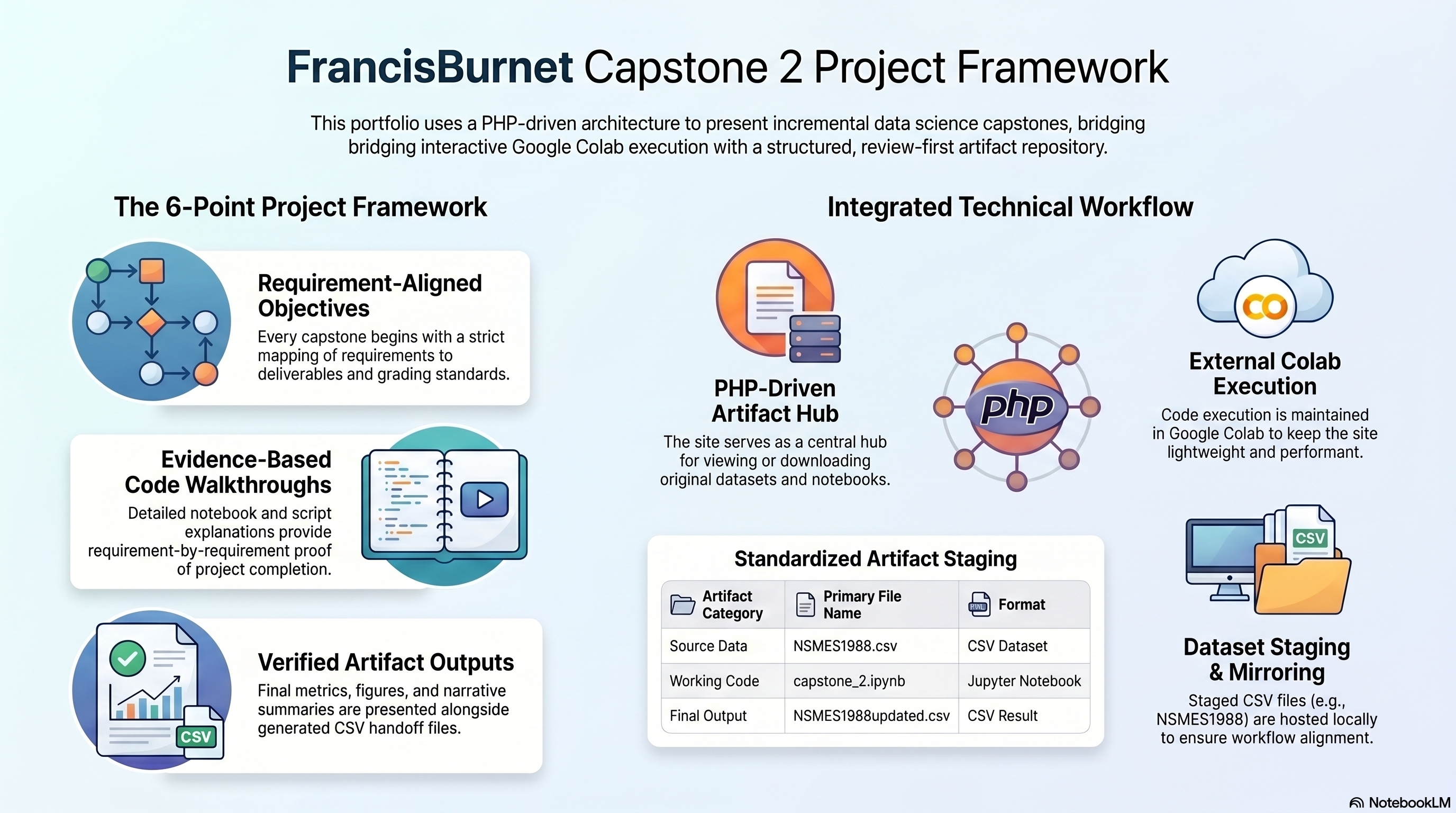
Each walkthrough block covers one requirement and the matching notebook evidence.
1a
Runtime and Library Imports
Notebook section: C?-T0 and C?-T1
Requirement: Import relevant Python libraries.
The notebook starts with runtime path handling and imports the dataframe tooling needed for the Capstone 2 analysis path.
Results Capture
- Runtime setup establishes reusable project paths and the output folder structure.
- `pandas` is imported explicitly for dataframe operations and statistical summaries.
- The notebook uses supporting imports in the setup cell instead of scattering them throughout later requirement sections.
from pathlib import Path
from datetime import datetime

try:
    from IPython.display import display
except Exception:
    def display(value):
        print(value)

import pandas as pd
1b
Load the Cleaned Handoff Dataset
Notebook section: C?-T2
Requirement: Import the CSV file `NSMES1988new.csv` into a dataframe.
Capstone 2 begins from the cleaned handoff created at the end of Capstone 1, and the notebook confirms that input path before running any analysis.
Results Capture
- Loaded dataset: `NSMES1988new.csv`.
- Working dataframe shape: `(4406, 18)`.
- A dataframe preview is displayed immediately after load as the first evidence checkpoint.
DEFAULT_DATASET = "NSMES1988new.csv"
DATASET_PATH = resolve_dataset_path(DEFAULT_DATASET)

df = pd.read_csv(DATASET_PATH)
print("Loaded:", DATASET_PATH)
print("Shape:", df.shape)
display(df.head())
1c
Memory Comparison Against Capstone 1
Notebook section: C2-T4
Requirement: Perform memory analysis of the new dataframe and compare it with the memory of the dataframe in the previous week and mark your comments.
The notebook compares Capstone 2 memory usage to the Capstone 1 reference.
Results Capture
- Current dataframe memory: `2,228,671` bytes (`2.125 MB`).
- Capstone 1 reference memory: `2,263,919` bytes (`2.159 MB`).
- Difference: `-35,248` bytes (`-0.034 MB`), indicating a modest reduction after the cleaned handoff step.
mem2 = df.memory_usage(deep=True).sum()
mem1 = 2263919
diff = mem2 - mem1

print("Total memory (bytes):", mem2)
print("Total memory (MB):", round(mem2 / (1024**2), 3))
print("Capstone 1 memory (bytes):", mem1)
print("Difference vs Capstone 1 (bytes):", diff)
print("Difference vs Capstone 1 (MB):", round(diff / (1024**2), 3))
1d
Scale Age and Income to Real Units
Notebook section: C2-T5
Requirement: Perform the following operations on age and income columns: multiply age by 10 and income by 10000.
The notebook adds scaled columns while keeping the original encoded source fields.
Results Capture
- `age` stays available as the original encoded field while `age_years` exposes the real-year values.
- `income` stays available as the original encoded field while `income_dollars` exposes dollar values.
- Scaled ranges: `age_years` from `66` to `109`; `income_dollars` from `-10,125` to `548,351`.
df2 = df.copy()

if "age" in df2.columns:
    df2["age_years"] = (df2["age"] * 10).round(0).astype("Int64")

if "income" in df2.columns:
    df2["income_dollars"] = (df2["income"] * 10000).round(0).astype("Int64")

display(df2[["age", "age_years", "income", "income_dollars"]].head())
1e
Basic Statistical Analysis and Brief Report
Notebook section: C2-T6
Requirement: Perform basic statistical analysis on the new dataframe and generate a brief report on the outcome.
The notebook combines numeric summary tables with a written interpretation of the distribution patterns that matter most for the dataset.
Results Capture
- `visits` summary: mean `5.774`, median `4`, min `0`, max `89`.
- `age_years` summary: mean `74.024`, median `73`, min `66`, max `109`.
- `income_dollars` summary: mean `25,271.321`, median `16,981.5`, min `-10,125`, max `548,351`.
- The notebook report notes right-skew in utilization and income, and it retains the negative-income records.
numeric_cols = df2.select_dtypes(include=["number"]).columns
display(df2[numeric_cols].describe())

summary = df2[["visits", "age_years", "income_dollars"]].agg(["mean", "median", "min", "max"]).T
display(summary)
1f
Export the Updated Handoff File
Notebook section: C2-T7
Requirement: Save the dataframe as `NSMES1988updated.csv` file in the local space for possible future use.
After the scaling step and statistical summary work are complete, the notebook exports the updated dataset for downstream capstone use.
Results Capture
- Saved file: `outputs/NSMES1988updated.csv`.
- Exported dataframe shape: `(4406, 20)`.
- The exported file carries the original 18 fields plus `age_years` and `income_dollars`.
out_csv = OUTPUT_DIR / "NSMES1988updated.csv"
df2.to_csv(out_csv, index=False)
print("Saved:", out_csv)
print("Shape:", df2.shape)
1g
Compare `describe()` With the Prior Summary
Notebook section: C2-T8
Requirement: Invoke `describe` command on the dataframe and compare that with the basic statistical analysis done in the previous step.
The notebook widens the statistical view by running `describe(include="all")`, then compares that broader output to the focused summaries already written for visits, age, and income.
Results Capture
- The broader `describe()` output confirms the same central tendencies surfaced in the focused summary section.
- The all-column view adds category counts and top values for label-like fields that were not part of the narrower numeric-only report.
- This step compares the `describe()` output with the earlier brief report.
display(df2.describe(include="all"))

summary = df2[["visits", "age_years", "income_dollars"]].agg(["mean", "median", "min", "max"]).T
display(summary)
1h
Identify Non-Eligible Fields and Dtype Changes
Notebook section: C2-T8
Requirement: Indicate which of the columns are not eligible for statistical analysis and indicate possible datatype changes, and report.
The notebook separates fields that are label-like from fields that are suitable for continuous analysis and records concrete dtype recommendations for each group.
Results Capture
- Columns not eligible for continuous numeric interpretation: `health`, `adl`, `region`, `gender`, `married`, `employed`, `insurance`, `medicaid`.
- Recommended `category` conversions match those eight label and flag fields.
- Recommended downcasts: `int8` for `visits`, `nvisits`, `emergency`, `hospital`, `chronic`, `school`, `age_years`; `int16` for `ovisits` and `novisits`.
cat_like = ["health", "adl", "region", "gender", "married", "employed", "insurance", "medicaid"]
print("Categorical/label-like columns:", cat_like)

recommend_rows = []
for column_name in cat_like:
    recommend_rows.append({
        "column": column_name,
        "eligible_for_continuous_stats": "No",
        "suggested_dtype": "category",
    })

display(pd.DataFrame(recommend_rows))
1i
Optional Follow-On CSV Export
Notebook section: PDF p.8 optional step
Requirement: Make changes to the recommended file from the previous step and export it as a new `.csv` file for possible future use. Optional.
An optional follow-on CSV export is available.
Results Capture
- Optional artifact: `outputs/NSMES1988optimized_optional.csv`.
- This optional export is tracked separately from the required `NSMES1988updated.csv` handoff file.
- This export is optional.
# Optional follow-on export
optional_out_csv = OUTPUT_DIR / "NSMES1988optimized_optional.csv"
print("Saved:", optional_out_csv)
1j
Notebook Report in Markup Cells
Notebook section: C2-T6, C2-T8, Final section
Requirement: Prepare a brief report and enter it in the markup cells of the JupyterLab notebook.
Capstone 2 closes with notebook markdown blocks that interpret the statistical outputs and restate the capstone outcome in narrative form.
Results Capture
- The notebook records a brief report after the basic statistical analysis section.
- The notebook restates the field eligibility and dtype recommendations in markdown alongside the tables.
- The final markdown section summarizes the memory comparison, the new scaled fields, and the updated CSV output artifact.
Visit counts are right-skewed, with a small high-utilization tail.
The sample is concentrated in older age bands, with a median age of 73 years.
Income is highly right-skewed, so the median is more robust than the mean.
Negative income values are preserved and documented instead of being dropped blindly.